Reports
360° reports that build themselves.
Individual, group and impact reports are ready the moment responses arrive. No spreadsheets, no copy-paste.
-
For each participant
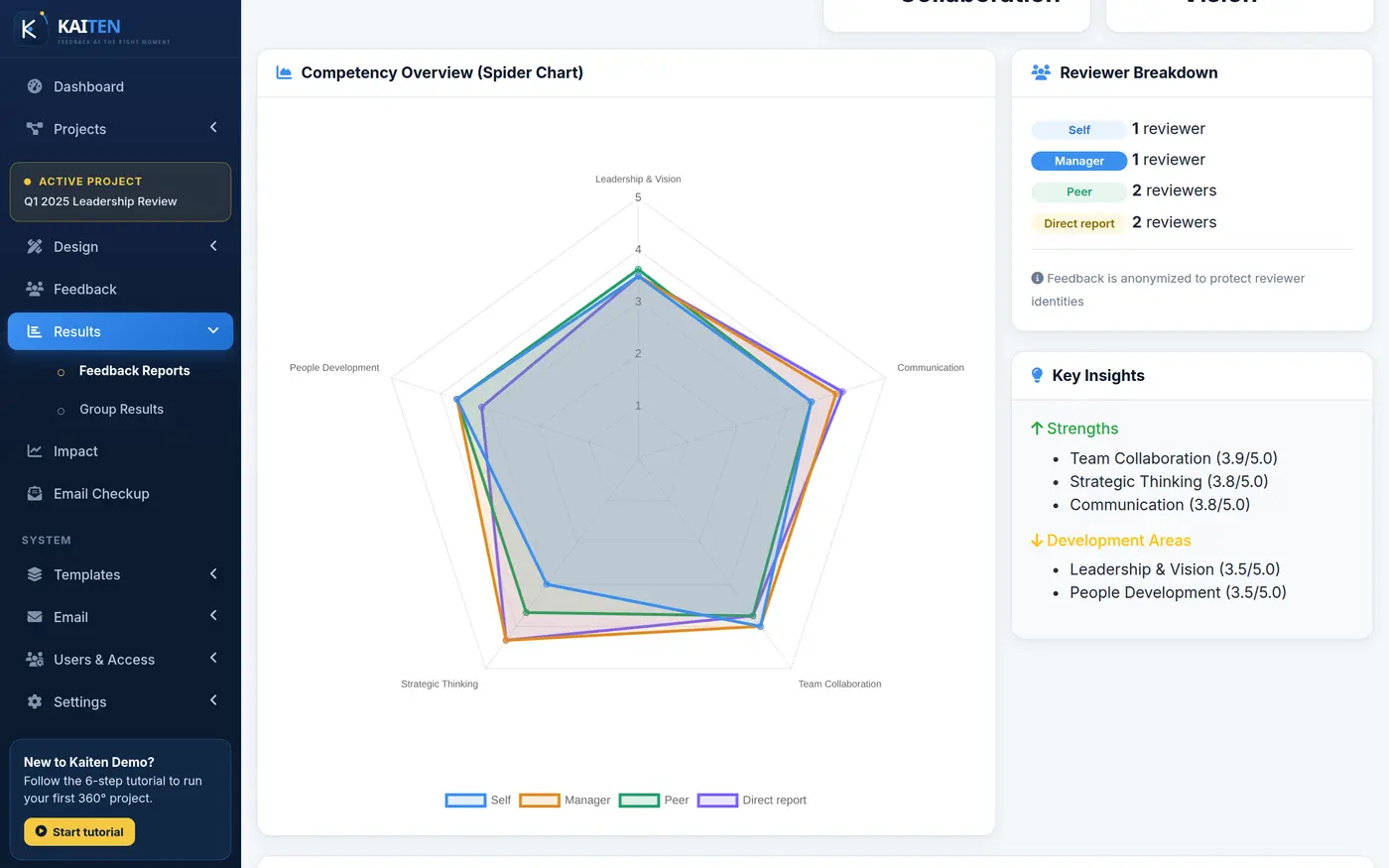
Individual report
Everything a participant and their coach need for a development conversation.
- Scores by competency against your benchmark
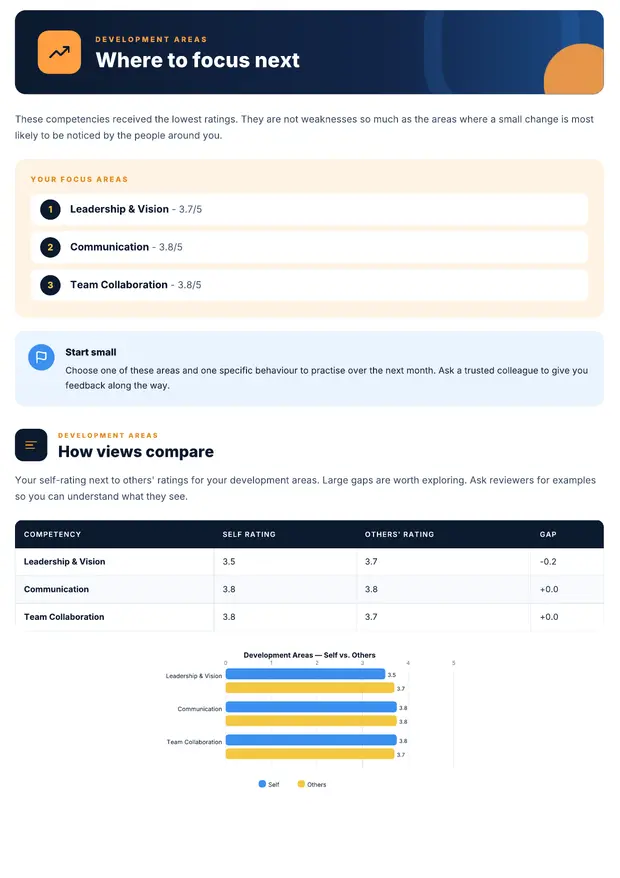
- Self-rating versus how others see them
- Results by relationship group
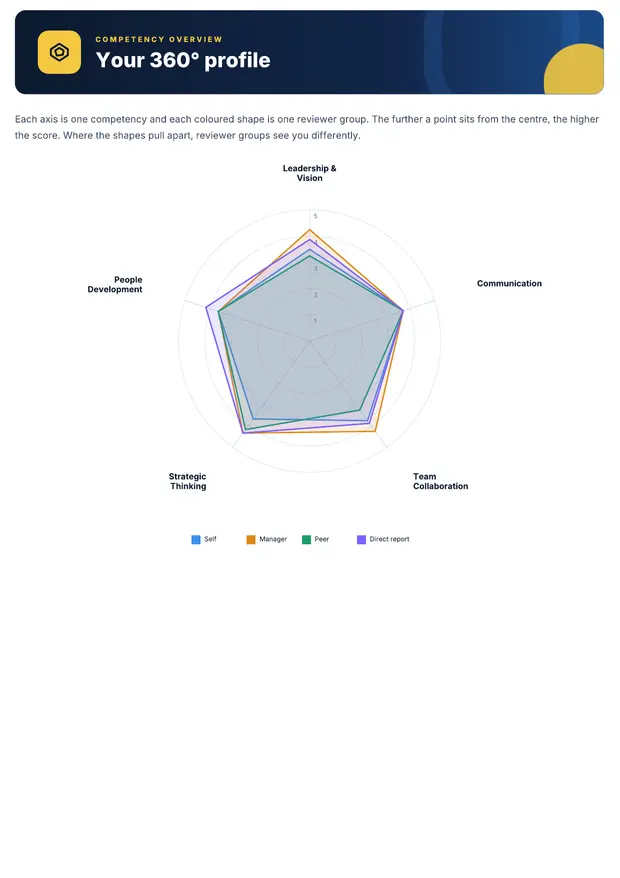
- Spider chart of every competency
- Top strengths and development areas
- Written comments, protected by thresholds
-
For the whole cohort
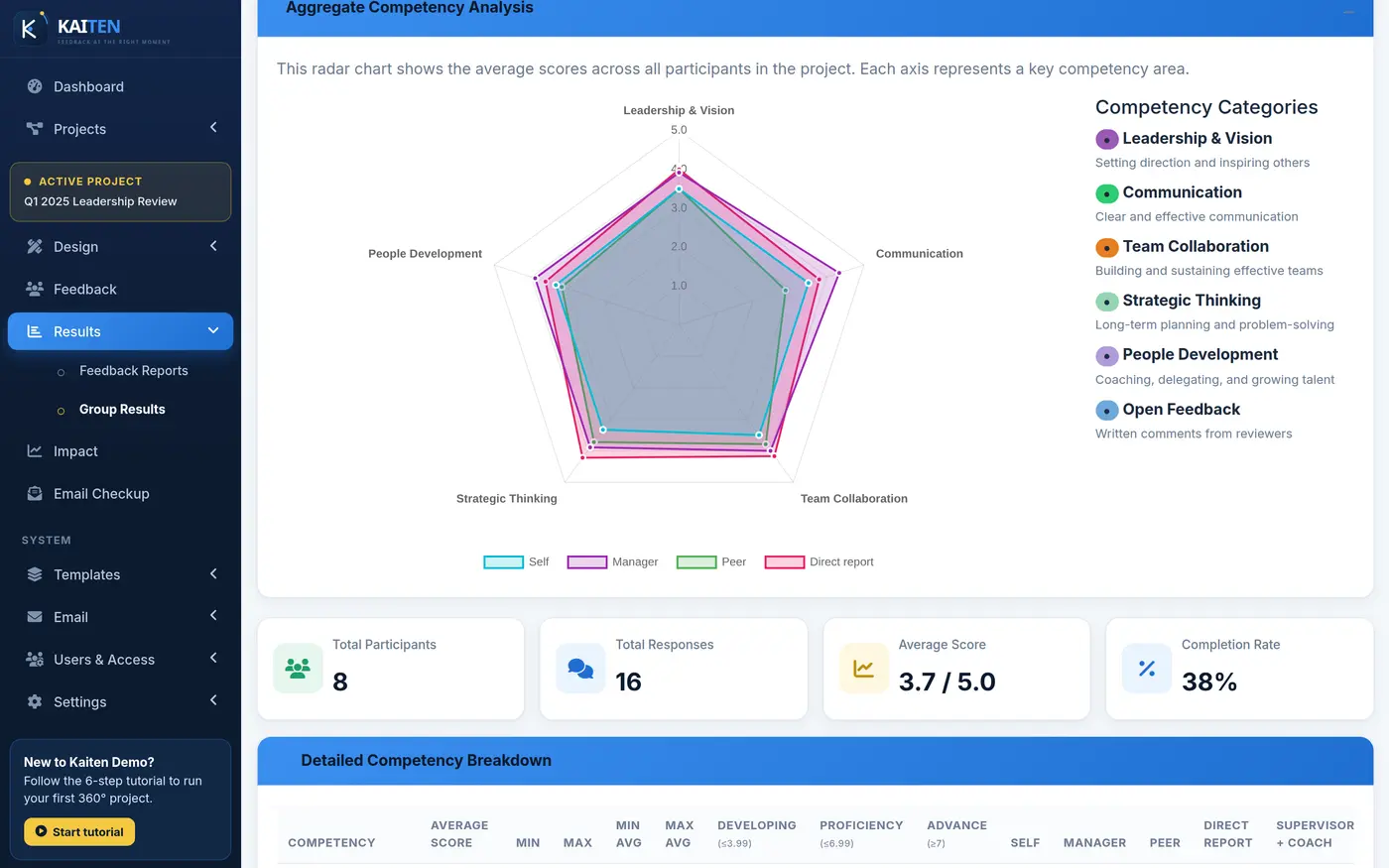
Group report
The view your client’s HR team wants: where the whole group is strong, and where to focus the programme.
- Level distribution per competency
- Top 5 and Bottom 5 rankings
- Scores by relationship group
- Baseline comparison and top improvers
-
Your layout, your words
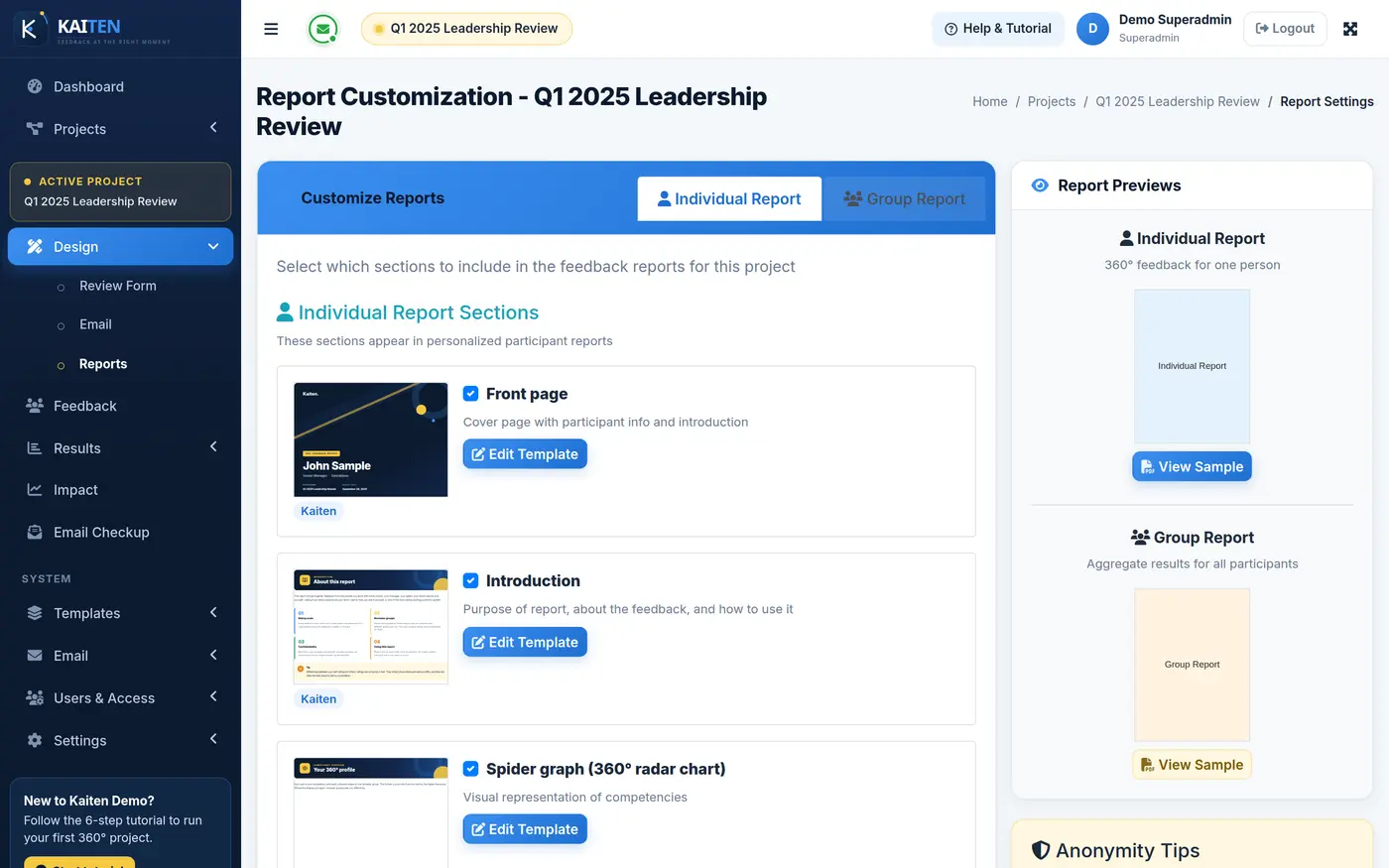
Report templates
Choose which sections appear, write your own introduction and guidance text, add background images, and set a default template — globally or per project.
- Show or hide any section
- Your own introduction and guidance text
- Background images and client logo
- Default template, globally or per project
Impact report
The ROI story, ready for your client.
Response and completion rates, average scores and growth across the programme — the ROI story for your client.
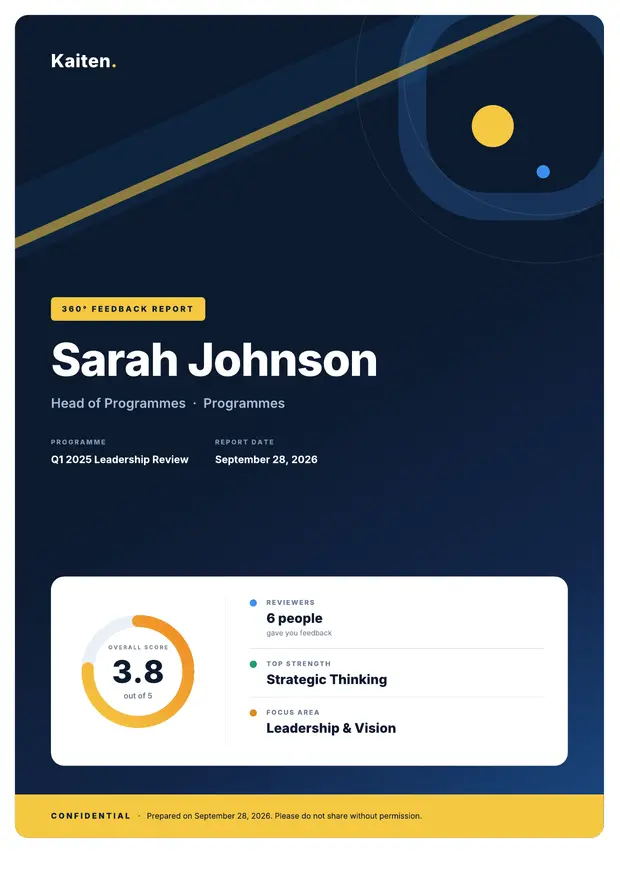
PDF reports
A report your participants will actually read.
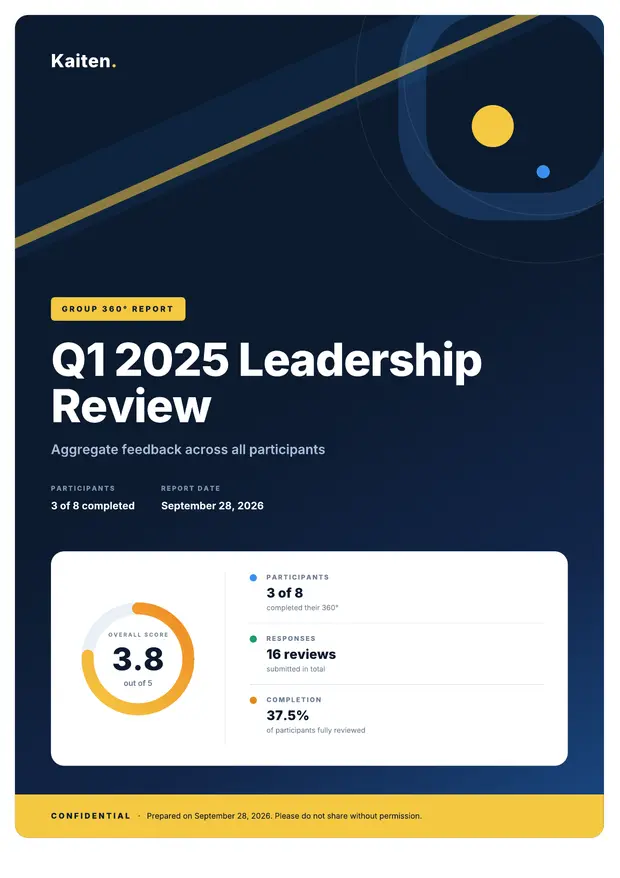
Every PDF opens with a branded cover and score gauge, then walks through the spider chart, strengths, focus areas and how self-ratings compare with others.
Baseline & follow-up
Prove the training worked.
Run a baseline before the programme and a follow-up after. Kaiten shows the change for every participant, relationship and competency.
- One-click follow-up Start the follow-up cycle from the baseline project. Nothing to rebuild.
- Baseline comparison Switch it on and every individual and group report scores this cycle against the last one.
- Change by relationship See whether managers, peers and direct reports each noticed the improvement.
- Top improvers A ranked table of who grew the most — evidence your client can take to their board.
Sharing and export
Get reports to the right people.
PDF and secure share links
Download any report as a PDF, or share it through a secure link.
Bulk export and bulk share
Export or share the reports for a whole cohort in one go.
Raw data export
Download every response as CSV for your own analysis.
Anonymity built in
Groups below the minimum stay hidden in every report, PDF and share link.
Run your next 360° cycle on Kaiten.
See it with your own programme in a 30-minute walkthrough, or sign in to the live demo right now.