360° feedback for training providers
Easy 360° feedback. Proof your training works.
Kaiten runs the whole 360° cycle for your programmes — questionnaire, reviewers, reminders and reports — then compares baseline with follow-up so every client sees the change.
- No login for reviewers
- Anonymity enforced
- Your brand on everything
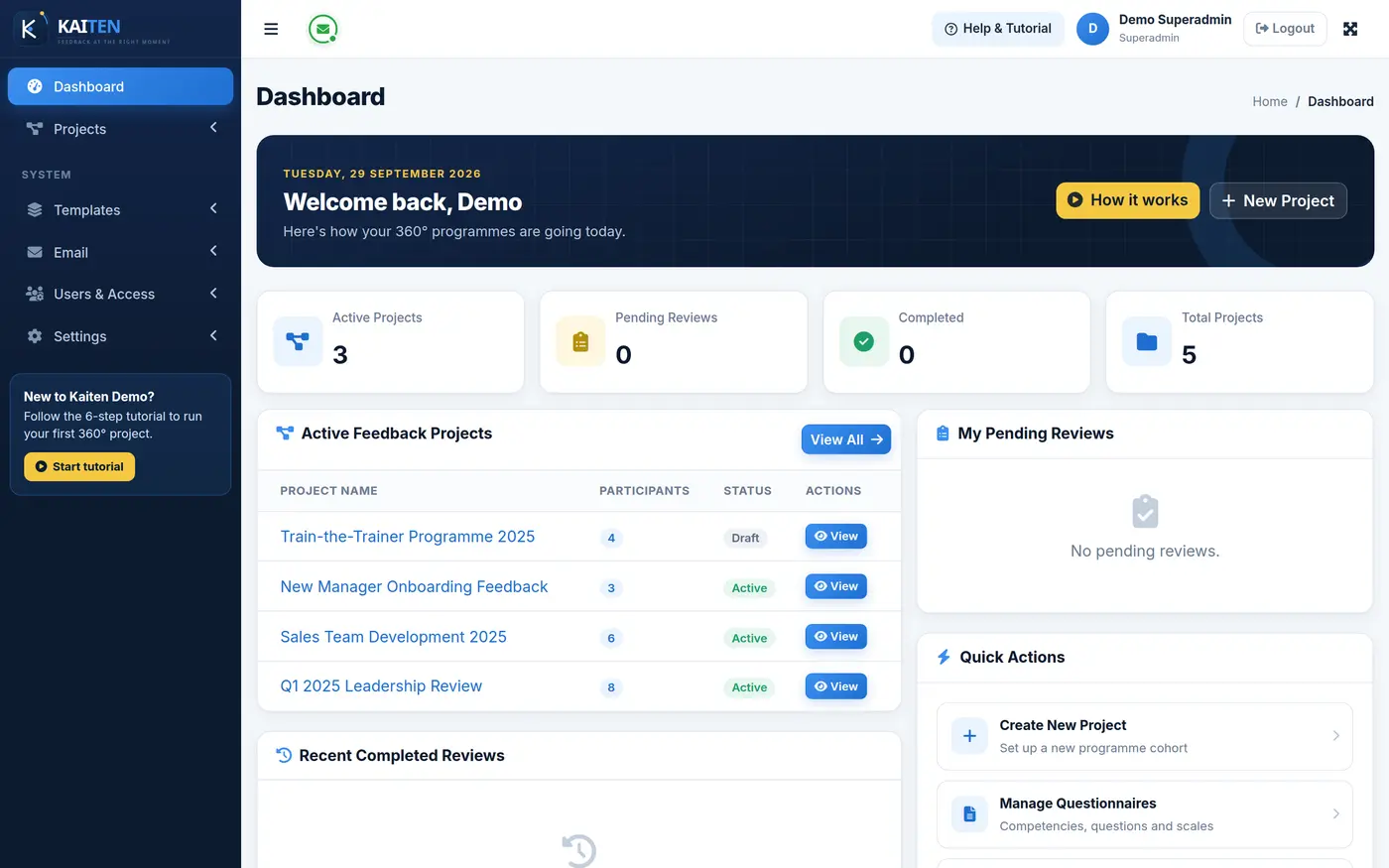
The problem
A 360 should not need a spreadsheet army.
Most training providers still run 360° feedback with forms, mail merges and late nights in Excel. Kaiten replaces all of it.
Copying reviewer lists between spreadsheets
Upload the whole cohort — with reviewers — in one CSV
Chasing reviewers one email at a time
Scheduled invitations and reminders on autopilot
Promising anonymity and hoping for the best
Minimum-response thresholds enforced by the system
Building every report by hand
Individual, group and impact reports that build themselves
No evidence the programme changed anything
Baseline vs follow-up comparison, per person and per cohort
How it works
Five steps from kick-off to report.
Every 360° cycle in Kaiten follows the same simple path.
-
01
Project
Set the dates, the client logo and the questionnaire.
-
02
Questionnaire
Pick from your library or import competencies by CSV.
-
03
Reviewers
Upload participants and reviewers, or let participants nominate.
-
04
Responses
Invitations and reminders go out on schedule. Reviewers answer on any device.
-
05
Reports
Individual, group and impact reports build themselves.
Two-minute tour
See a full 360° cycle in Kaiten.
From creating the project to opening the group report — watch how little work a 360 takes when the system does the chasing.
Then try it yourselfEverything included
Every tool you need to run 360° feedback.
Ten areas, one system. Nothing extra to buy, nothing to bolt on.
Projects & cycles
A project holds everything for one 360° cycle: the dates, the questionnaire, the people, the emails and the reports.
6 featuresQuestionnaire builder
Build questionnaires around competencies, reuse them across programmes, or import a whole framework from a spreadsheet.
7 featuresParticipants & reviewers
Add people one by one or in bulk, and let participants and managers take part in choosing reviewers.
6 featuresReviewer experience & anonymity
Reviewers answer from a personal link on any device. Anonymity is enforced by the system, not promised in an email.
5 featuresEmails & reminders on autopilot
Invitations, reminders and report emails go out from Kaiten, in your wording, on your schedule.
7 featuresReports
Individual, group and impact reports are ready the moment responses arrive. No spreadsheets, no copy-paste.
8 featuresBaseline & follow-up
Run a baseline before the programme and a follow-up after. Kaiten shows the change for every participant, relationship and competency.
4 featuresYour brand
Kaiten runs under your training company’s name. The platform stays in the background.
3 featuresRoles & access
Four roles keep your trainers, clients and staff in their own lane.
4 featuresYour own installation
Kaiten is installed separately for each training company. Your data is never shared with anyone else’s.
5 featuresSix relationships, one honest picture
Feedback from every direction — safely.
Reviewers answer from a personal link on any device. Anonymity is enforced by the system, not promised in an email.
- Secure personal link Each reviewer gets their own link. No account, no password, nothing to install.
- Works on any phone The feedback form is built for small screens, so reviewers can answer between meetings.
- Anonymity thresholds Set the minimum number of responses per relationship group before its scores show — and a separate minimum for written comments.
- Configurable relationship groups Use the six standard relationships or rename and adjust them to fit your programme.
- My Reviews Staff who sign in see every review they have been asked to give, in one list.
- SelfHow the participant sees themselves.
- ManagerThe person they report to.
- PeerColleagues at the same level.
- Direct ReportPeople who report to them.
- CustomerClients they serve.
- SupplierPartners they work with.
Reports
Reports that build themselves.
Individual, group and impact reports are ready the moment responses arrive. No spreadsheets, no copy-paste.
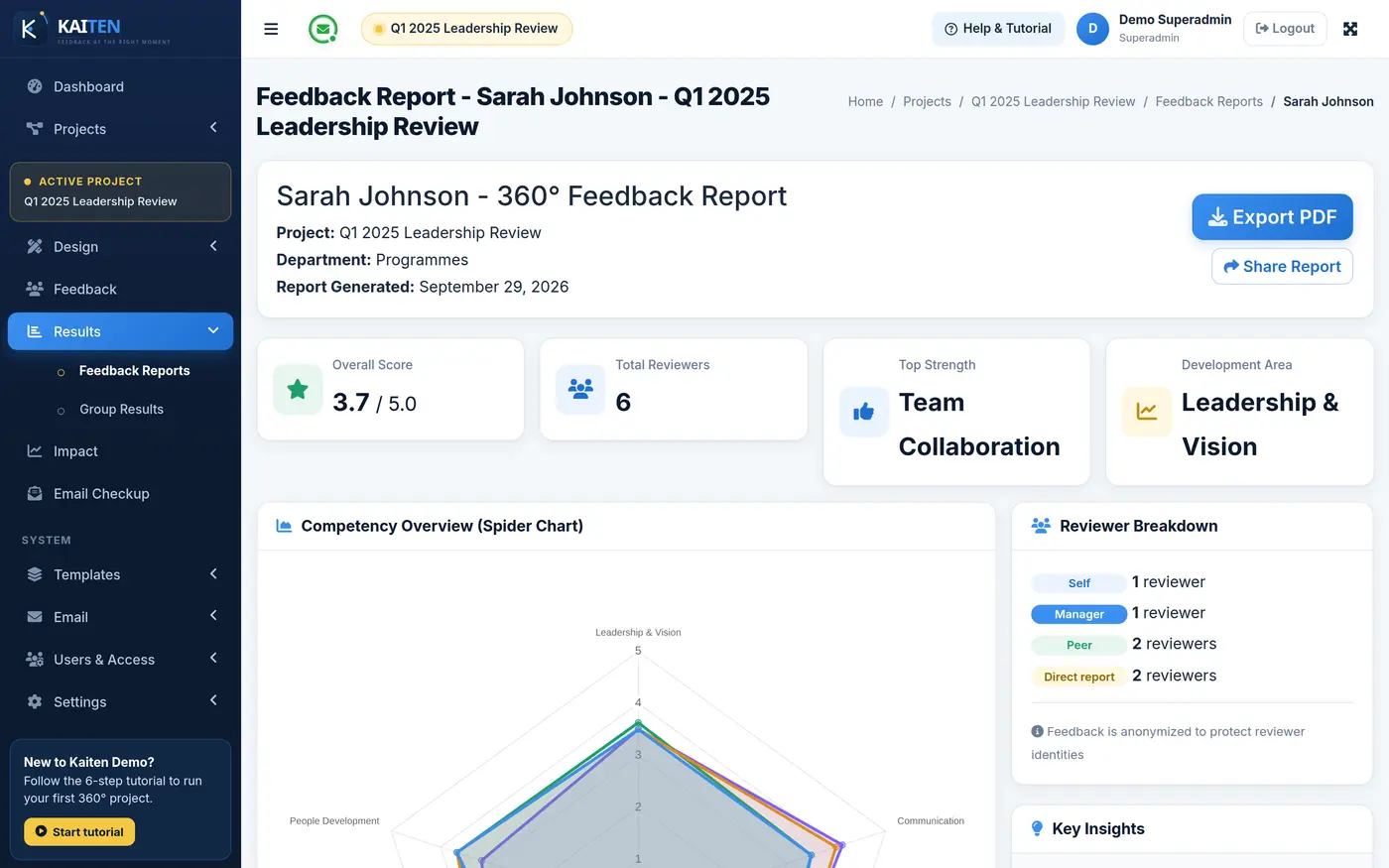
Individual report
Scores by competency, self versus others, results by relationship, strengths and development areas, written comments and the benchmark line.
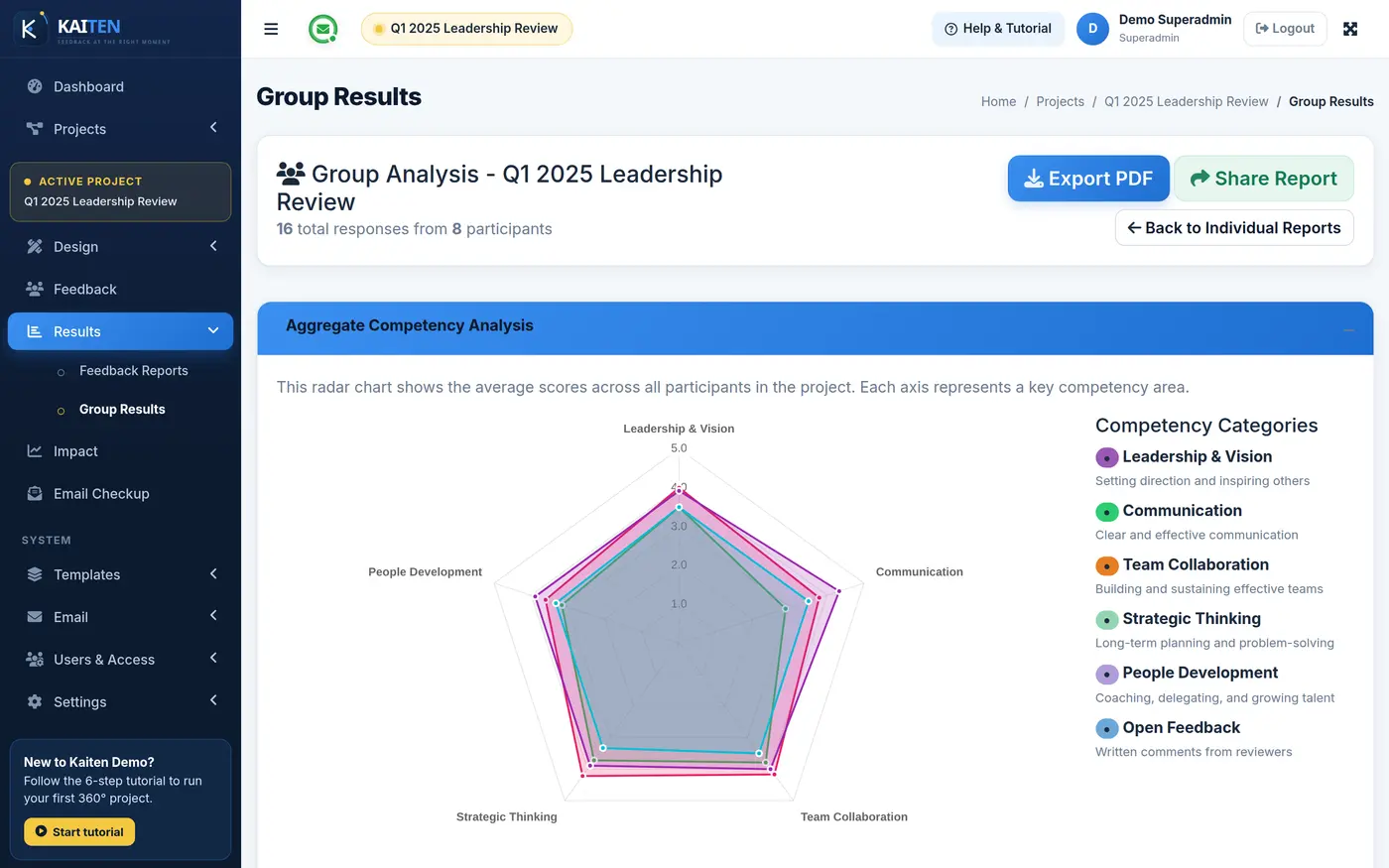
Group report
The whole cohort at once: level distribution per competency, Top 5 and Bottom 5 rankings, and scores by relationship group.
Baseline & follow-up
Prove the training worked.
Run a baseline before the programme and a follow-up after. Kaiten shows the change for every participant, relationship and competency.
- One-click follow-up Start the follow-up cycle from the baseline project. Nothing to rebuild.
- Baseline comparison Switch it on and every individual and group report scores this cycle against the last one.
- Change by relationship See whether managers, peers and direct reports each noticed the improvement.
- Top improvers A ranked table of who grew the most — evidence your client can take to their board.
Baseline vs follow-up
Baseline Follow-up
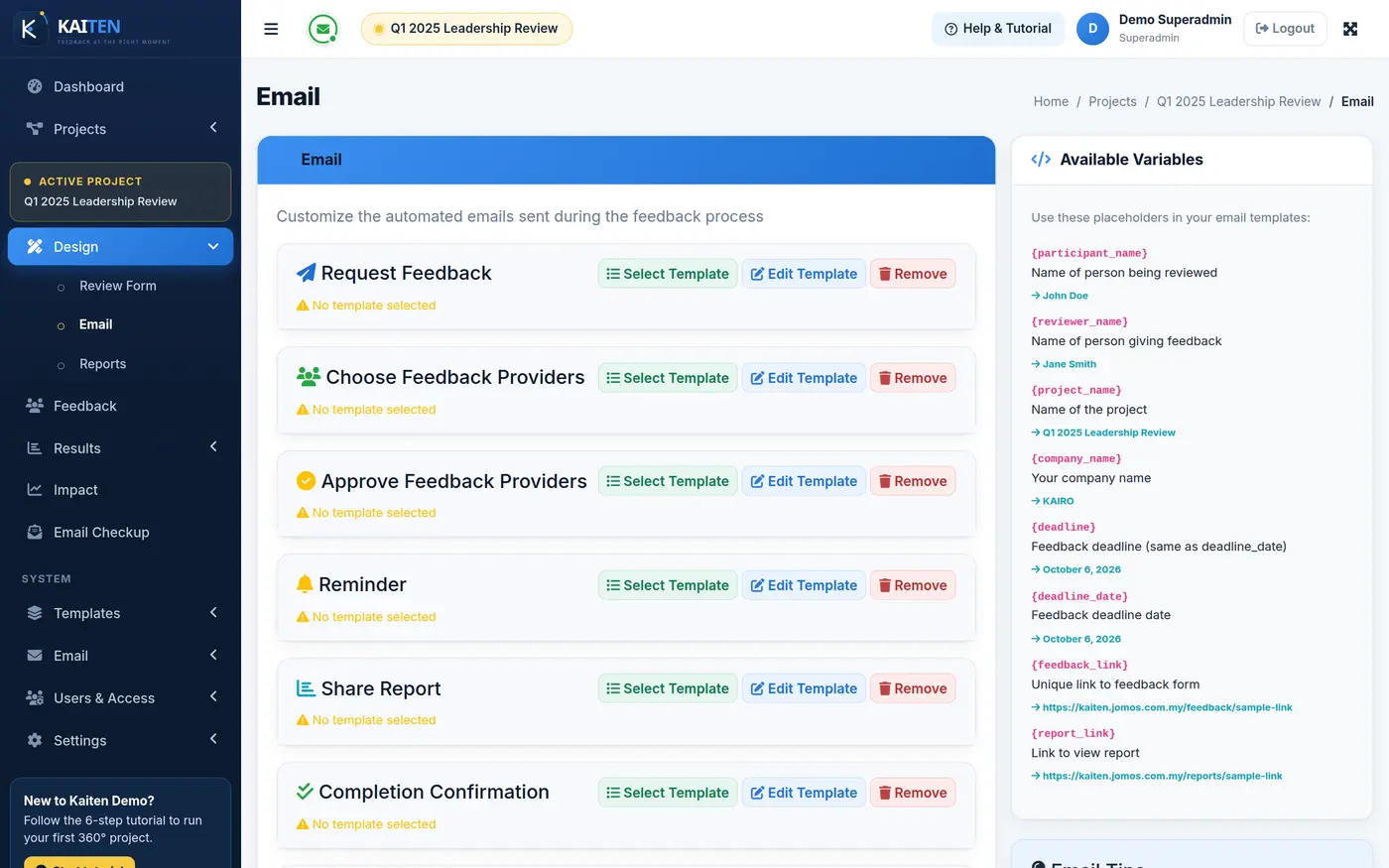
Emails & reminders on autopilot
Stop chasing reviewers by hand.
Invitations, reminders and report emails go out from Kaiten, in your wording, on your schedule.
- Bulk feedback requests
- Bulk and individual reminders
- Scheduled emails
- Editable email templates
- Sender settings and test sends
Your brand
Your name on everything your clients see.
Kaiten runs under your training company’s name. The platform stays in the background.
- Your name and logo
- Client logo per project
- Branded report layouts
Your own installation
Your tool, your data, your server.
Kaiten is installed separately for each training company. Your data is never shared with anyone else’s.
- Dedicated installation
- Guided setup
- Backups
- System health check
- Built-in user guide
Who it is for
Built for people who run 360s for a living.
Training providers
Add a 360 to every leadership programme and show clients the before-and-after.
Coaches
Start every coaching engagement with honest, structured feedback.
Consultancies
Run many client cohorts side by side, each with its own logo and questionnaire.
HR and L&D teams
Run internal 360s for your managers without an outside survey tool.
FAQ
Questions training providers ask us.
What is 360° feedback?
A 360° review collects feedback about one person from everyone around them — their manager, peers, direct reports, customers and suppliers — alongside their own self-rating. Comparing how people see themselves with how others see them is one of the most useful starting points for coaching and training.
Who is Kaiten for?
Training providers, coaching practices, leadership consultancies and in-house HR and L&D teams who run 360° feedback as part of their programmes and want to show clients measurable results.
Do reviewers need an account?
No. Each reviewer gets a secure personal link by email and answers on any phone, tablet or computer. Staff who prefer can also sign in and see all their reviews under My Reviews.
How is anonymity protected?
You set a minimum number of responses for each relationship group, with a separate minimum for written comments. Until a group reaches its minimum, its scores and comments stay hidden from the report.
Can we use our own competency framework?
Yes. Build it in the questionnaire builder or fill in the CSV template and upload the whole framework at once. You can keep several frameworks in your library.
How do we show clients that the training worked?
Run a baseline 360 before the programme and a follow-up after it. With baseline comparison switched on, every report shows the change per participant, relationship and competency, and the impact report sums it up for the whole cohort.
Will our clients see the Kaiten name?
Not unless you want them to. Kaiten runs under your company name and logo, and each project can carry your client’s logo on its reports and emails.
Is our data shared with other training companies?
No. Kaiten is installed separately for each training company, on its own database and web address.
Can I try it first?
Yes. The live demo has four ready-made accounts — Superadmin, Admin, Manager and Staff — and sample projects. It resets itself regularly, so feel free to click everything.
Run your next 360° cycle on Kaiten.
See it with your own programme in a 30-minute walkthrough, or sign in to the live demo right now.